How to Troubleshoot A Survey

Below are some common errors that may happen while you are inputting a survey submission. Here are how to trouble-shoot those issues.
Invalid Number
One of the most common issues that can happen with a survey is getting an "Invalid Number" error, which prevents you from proceeding to the next page.
- The main cause of this issue: There might be an extra space hidden at the beginning or end of an entry.
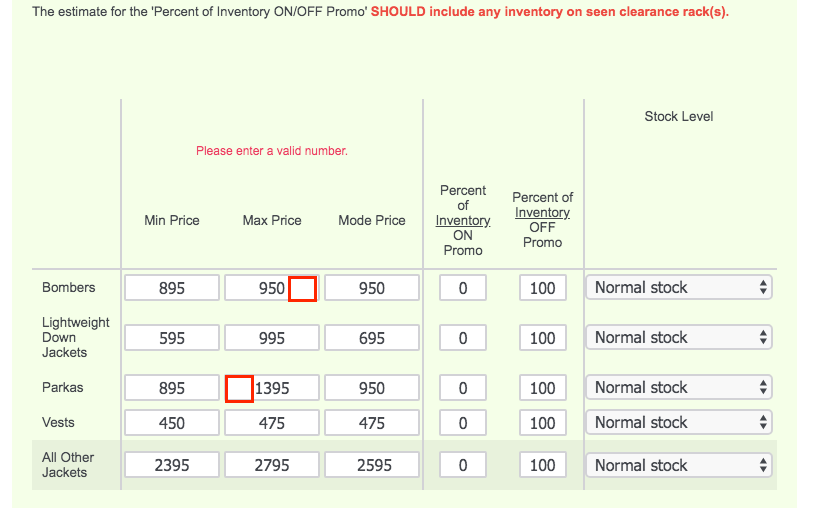
- To resolve the issue: try highlighting all the boxes to make sure there are no spaces or hidden/invisible characters, then click the forward arrow on the bottom of the page and you should be able to proceed with the survey.
Incorrect Format
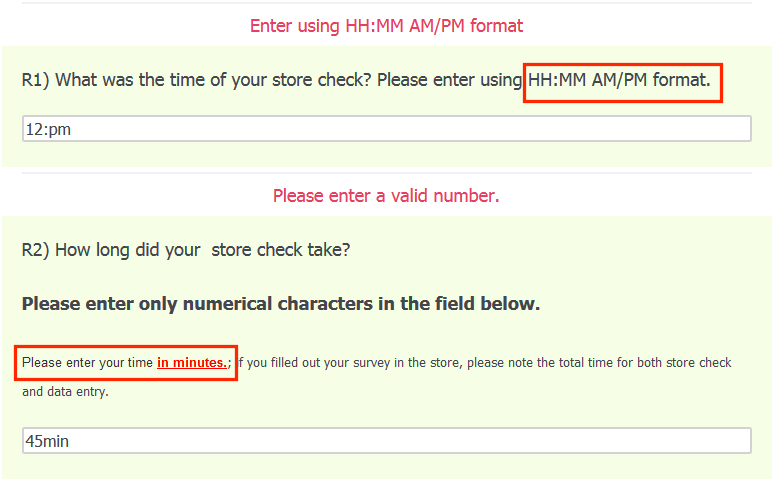
Another common issue that may happen in your survey submission is an "Incorrect Format" error. It is important to thoroughly read through the directions in the survey on how to correctly input your data. Here below we have two errors occurring:
- The Time of your Store Check should be entered in a HH:MM AM/PM format. Here we'd need to correct as we are missing the MM. We'd resolve by typing in 12:00 PM. If instead you had a check in time with a single digit hour, for example 5:30pm, we'd input 5:30 PM.
- The Duration of your store check should be entered only in Minutes and we need to only input a number value. So to correct this error we'd put 45.
Lagging Surveys and Internet Connection
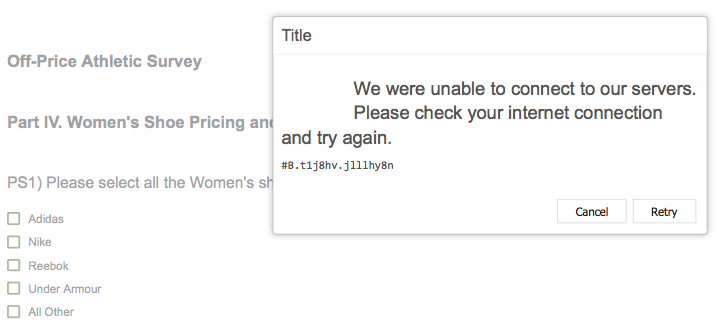
Sometimes the survey may seem to be lagging, or taking a long time to load a page. There are a few options to troubleshoot this issue.
1. Save your progress and reopen the survey in a different web browser.
- Chrome, Firefox, Safari, and Microsoft Edge function much more quickly with our survey system than other browsers.
2. Log out of the VMS and log back in.
3. Turn off your Internet connection, wait 30 seconds, and then turn it back on again.
4. Lastly, if all of the above does not work: try connecting to a different internet connection, via the data plan on your phone or going to a nearby coffee shop to get WiFi service.
Comments
0 comments
Please sign in to leave a comment.