Syncing Your Visit Calendar

One way to ensure you are up to date on your visit schedule is to sync your personal email calendar with your VMS dashboard.
Just follow these easy steps:
- Log into your VMS dashboard.
- Once there, you will see the option to "Sync All Events" in the upper right-hand corner of your Upcoming Assignment Calendar.

-
Click on "Sync All Events".
- You will be prompted to select the email provider you use for your personal email.
- After selecting the provider, click on the hyperlink for instructions to add a calendar to your account.
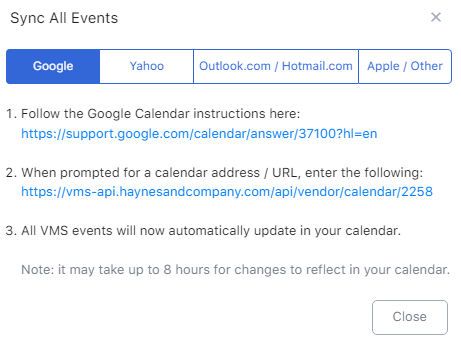
6. When prompted, add the URL from step 5.
Comments
0 comments
Please sign in to leave a comment.